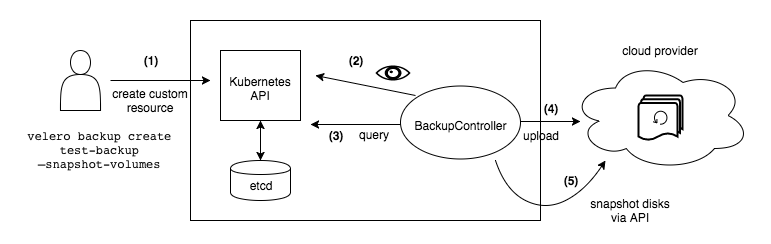
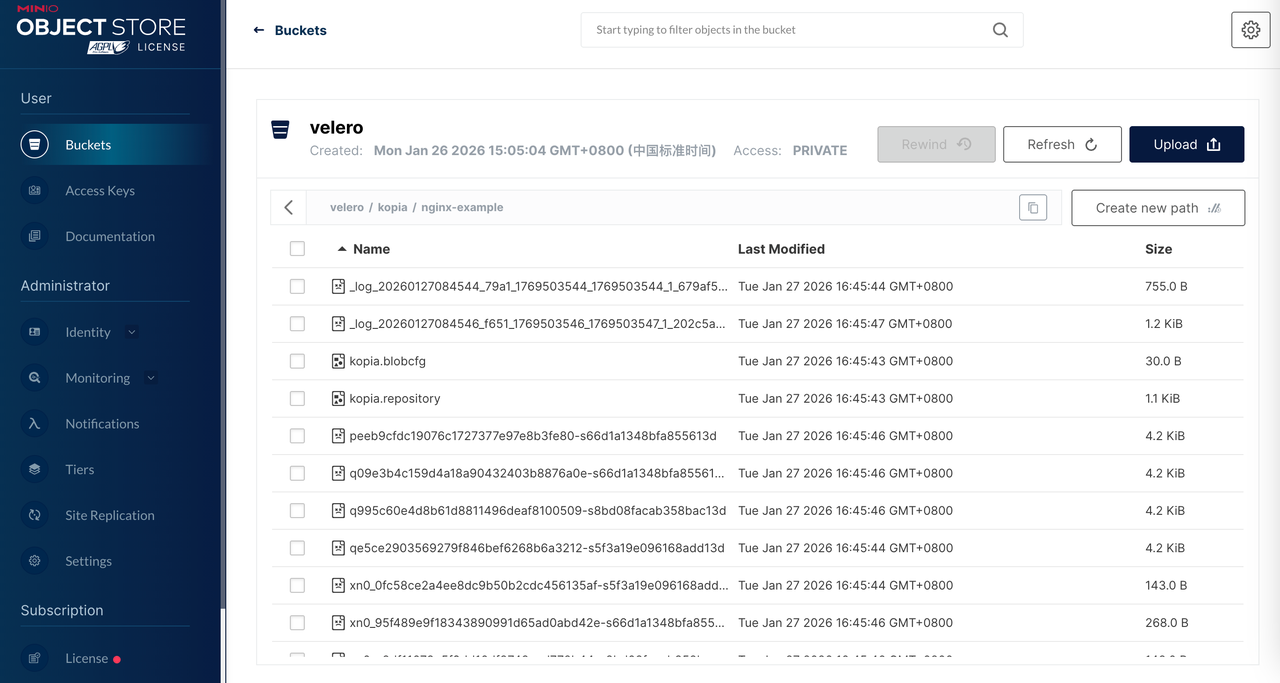
# 检查 Pod 状态kubectl -n velero get pod
# 查看 BackupStorageLocationkubectl -n velero get BackupStorageLocation
# 示例输出:# NAME PHASE LAST VALIDATED AGE DEFAULT# default Available 43s 5m true
NGINX_POD=$(kubectl get pods -n nginx-example -l app=nginx -o jsonpath='{.items[0].metadata.name}')echo$NGINX_POD
将一个简单的 html 复制到 nginx 数据目录中
1
2
3
4
# 首先在本机创建一个测试文件echo'<h1>Hello from Velero Backup Demo!</h1><p>This file was created on '"$(date)"'.</p>' > test-index.html
# 将文件拷贝到Pod内的PVC目录kubectl cp test-index.html nginx-example/$NGINX_POD:/usr/share/nginx/html/index.html
访问 nginx 进行验证
1
2
3
4
5
6
kubectl get svc nginx-service -n nginx-example
# 使用输出的NodePort端口访问,例如节点IP为192.168.1.100,端口为32000curl http://<cluster-ip>:80
root@lixd-dev-2:~# curl 10.111.66.141
<h1>Hello from Velero Backup Demo!</h1><p>This file was created on Tue Jan 27 07:49:17 UTC 2026.</p>
Velero 备份
1
2
3
root@lixd-dev-1:~/velero# velero backup create nginx-backup-pvc --include-namespaces nginx-example --default-volumes-to-fs-backup
Backup request "nginx-backup-pvc" submitted successfully.
Run `velero backup describe nginx-backup-pvc` or `velero backup logs nginx-backup-pvc`for more details.
root@lixd-dev-1:~/velero# velero backup get
NAME STATUS ERRORS WARNINGS CREATED EXPIRES STORAGE LOCATION SELECTOR
nginx-backup-pvc InProgress 00 2026-01-28 07:41:25 +0000 UTC 29d default <none>
root@lixd-dev-1:~/velero# velero backup get
NAME STATUS ERRORS WARNINGS CREATED EXPIRES STORAGE LOCATION SELECTOR
nginx-backup-pvc Completed 00 2026-01-28 07:41:25 +0000 UTC 29d default <none>
# 查看备份详细信息$ velero backup describe nginx-backup
# 查看备份日志$ velero backup logs nginx-backup
这样就备份好了。
6.4 集群 B 恢复
恢复
在目标集群查看备份对象(如果连接到同一个 S3 存储,Velero 会自动同步):
1
2
3
root@lixd-dev-2:~# velero get backup
NAME STATUS ERRORS WARNINGS CREATED EXPIRES STORAGE LOCATION SELECTOR
nginx-backup-pvc Completed 00 2026-01-28 07:41:25 +0000 UTC 29d default <none>
恢复数据
1
2
3
root@lixd-dev-2:~# velero restore create --from-backup nginx-backup-pvc
Restore request "nginx-backup-20260127075810" submitted successfully.
Run `velero restore describe nginx-backup-20260127075810` or `velero restore logs nginx-backup-20260127075810`for more details.
查看恢复进度
1
2
3
4
5
6
root@lixd-dev-2:~# velero restore get
NAME BACKUP STATUS STARTED COMPLETED ERRORS WARNINGS CREATED SELECTOR
nginx-backup-pvc-20260128080008 nginx-backup-pvc InProgress 2026-01-28 08:00:08 +0000 UTC <nil> 00 2026-01-28 08:00:08 +0000 UTC <none>
root@lixd-dev-2:~# velero restore get
NAME BACKUP STATUS STARTED COMPLETED ERRORS WARNINGS CREATED SELECTOR
nginx-backup-pvc-20260128080008 nginx-backup-pvc Completed 2026-01-28 08:00:08 +0000 UTC 2026-01-28 08:00:17 +0000 UTC 01 2026-01-28 08:00:08 +0000 UTC <none>
验证
验证 Nginx 是否完全恢复
1
2
3
4
5
6
7
8
9
10
11
root@lixd-dev-2:~/velero# kubectl -n nginx-example get po
NAME                                READY   STATUS    RESTARTS   AGE
nginx-deployment-7cf7667b79-cmjfm   1/1     Running   0          41s
root@lixd-dev-2:~/velero# kubectl -n nginx-example get svc
NAME            TYPE       CLUSTER-IP       EXTERNAL-IP   PORT(S)        AGE
nginx-service   NodePort   10.103.125.238   <none>        80:32285/TCP   42s
root@lixd-dev-2:~/velero# kubectl -n nginx-example get pvc
NAME             STATUS   VOLUME                                     CAPACITY   ACCESS MODES   STORAGECLASS   VOLUMEATTRIBUTESCLASS   AGE
nginx-html-pvc   Bound    pvc-99f0060d-fd8b-4887-a5e5-cdc6858d3590   1Gi        RWO            nfs            <unset>                 45s
root@lixd-dev-2:~# curl 10.111.49.149
<h1>Hello from Velero Backup Demo!</h1><p>This file was created on Wed Jan 28 07:48:15 UTC 2026.</p>
 意琦行 收录于 Kubernetes